
Instructions for closing sales shifts
Published on Update
Instructions for closing a sales shift on iOrder: opening a shift, recording income and expenses during the shift, and checking cash balances for transparent cash management.

Sales shift ending is used to record the beginning of the shift, revenues and expenditures, and the amount handed over when the employee ends the shift.
Follow the steps below one by one to compare the amount recorded by the system with the actual money in the safe.
Specific operations are as follows:
I. Sales shift closing process
1. Open shift
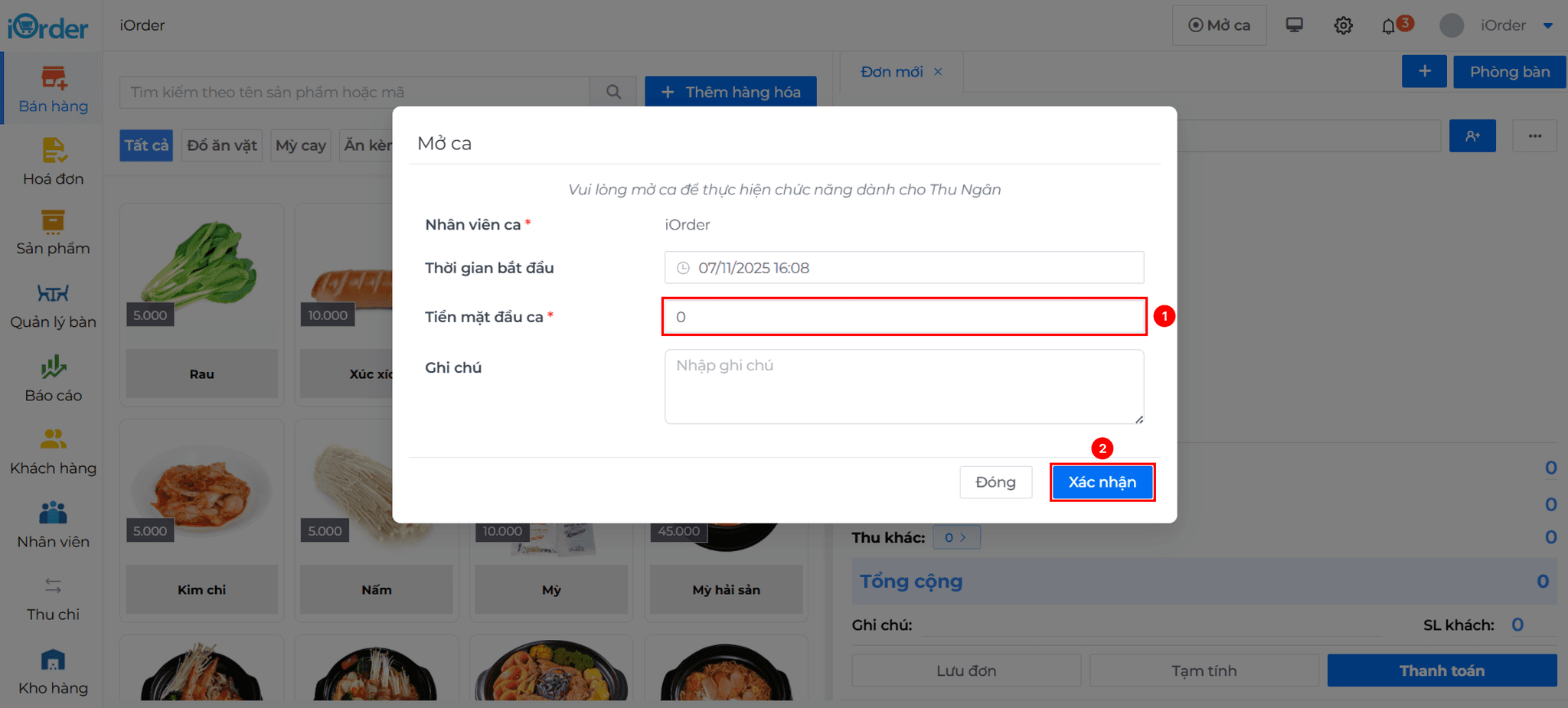
When the cashier (using an account with bill payment permissions) logs in to the screen Cashier, the system will automatically display a pop-up Open shift.
In this window, users need to perform the following operations:
Enter the cash amount at the beginning of the shift (1): Record the current amount of money in the safe before starting the shift.
After completing the above information, press the button Confirm to initiate a new shift.
Note: The shift must be opened successfully before employees can conduct sales and payment operations at the Cashier screen.
2. Conclusion
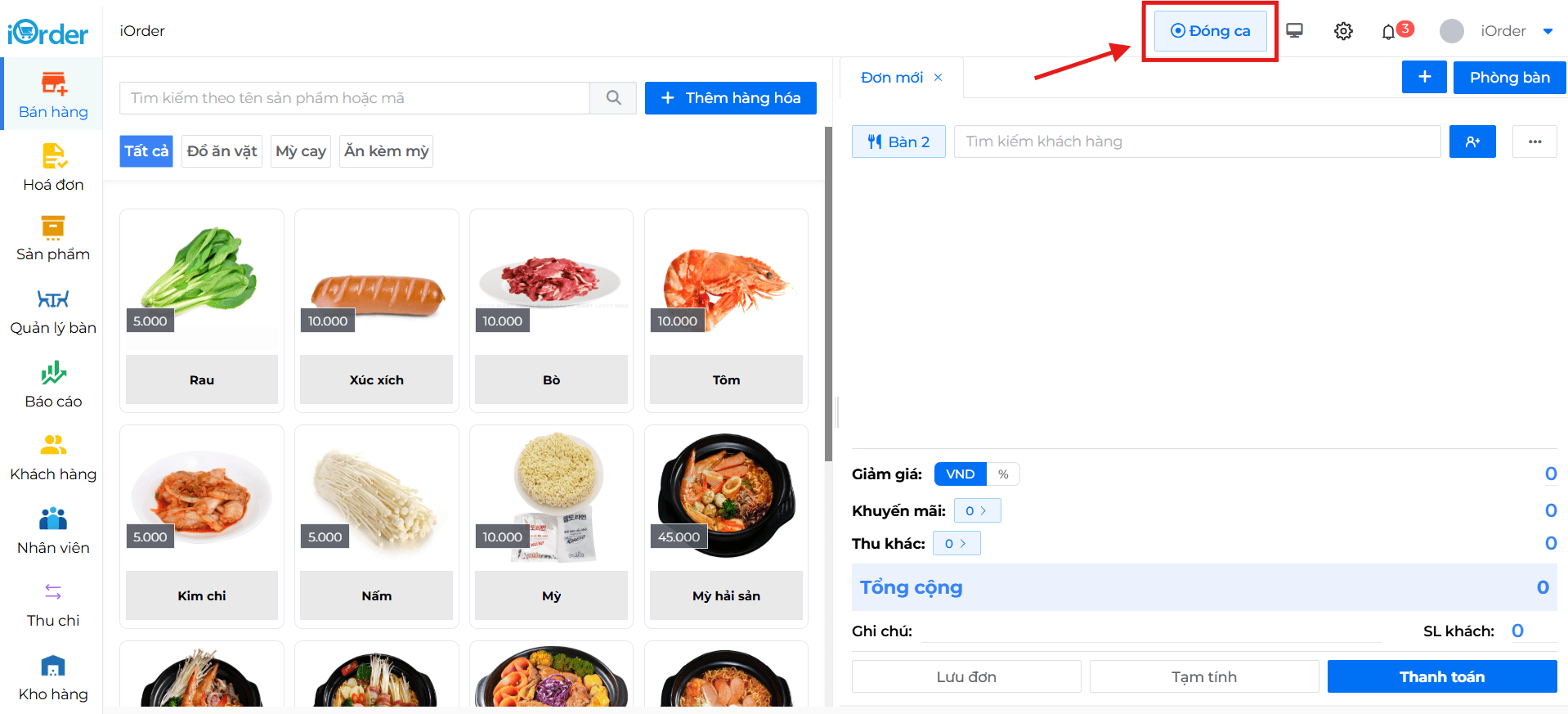
After finishing the shift, the cashier needs to perform the operation Close shift to complete the recording and handover of funds.
The steps are as follows:
At the screen Cashier, select action Close shift.
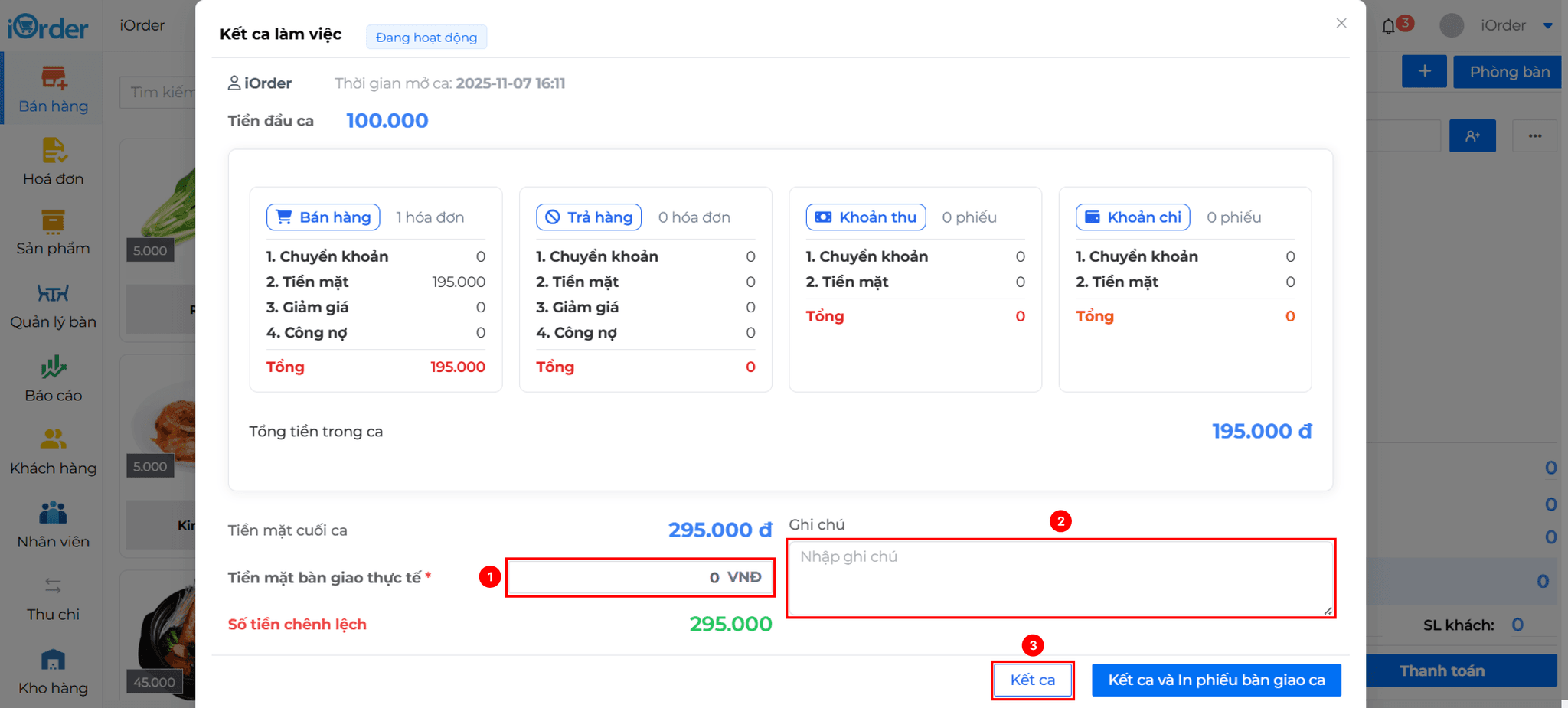
The system will display a pop-up of shift summary information, including revenue, expenses, inventory, and related items. The cashier needs to carefully check these data.
Enter the necessary information:
Actual cash handover (1): Enter the actual amount of cash in the safe at the end of the shift.
Note (2): Record information that needs attention during the shift (if any).
Note: Shift closing must be done completely and accurately to ensure transparency in the process of handing over funds between shifts.
Read more
Closing shifts at the end of the day properly: cash reconciliation is not distorted: the process of opening and closing shifts and handling cash discrepancies.