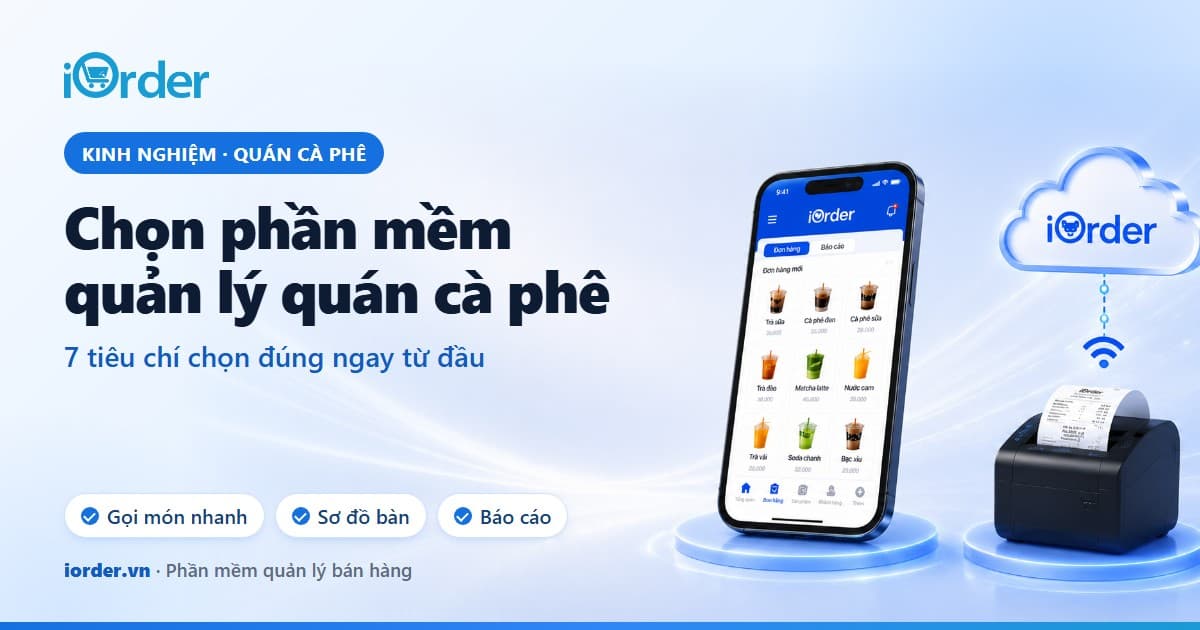
A good coffee shop management software is not just for billing. It's a tool you use every day, from the time the employee opens his shift to the time the shop owner reads the report before going to bed. Choosing the right one from the start helps the shop run smoothly; If you choose incorrectly, after a few months you will have to change the system, re-enter the menu and retrain the staff.
Why should you choose software right from the moment you open your shop?
Many restaurant owners start with a notebook or spreadsheet because they find it simple. This method works well when the restaurant is empty, but quickly becomes overloaded when there are many customers: wrong orders are recorded, the cashier charges slowly, and at the end of the day it is not known how much real revenue there is and where the raw materials are lost.
The software solves these repetitions by recording every order as soon as it occurs. The sooner the data is recorded, the more reliable the report will be, and the sooner you will have a basis for making decisions instead of relying on gut feeling.
7 criteria for choosing coffee shop management software
1. Order and pay quickly
Peak hours determine the guest experience. Try to see how many operations the cashier needs to make an order with several items, split the bill for multiple people or combine tables. The ordering screen requires quick search by name or code and supports many payment methods such as cash, bank transfer, QR.
2. Table plan and service forms
If a restaurant has indoor, outdoor, or upstairs areas, it needs a table map divided by zone and display of each table's status (in service, empty). At the same time, the software must smoothly handle takeout and delivery orders, as this is an increasingly large part of the cafe's revenue.
3. Flexible menu: size, topping, notes
Drinks are rarely just one price. You need to create a dish with multiple sizes, add toppings to share and allow the staff to make notes according to the customer's request (less sugar, less ice). If each size has to be a separate dish, the menu will be confusing and it will be difficult to update prices.
4. Warehouse and raw material management
Coffee, milk, sugar, cups, lids... are all costs. The software should import goods from suppliers, track inventory, periodically check inventory and see cost prices. With inventory data, you can know where the losses are and how much is enough.
5. Easy-to-read reports, updated in real time
The shop owner doesn't have time to read lengthy license plates. Good reports immediately show revenue, number of orders, number of customers, best-selling dishes, staff and featured tables with visual charts, viewable on both computers and phones so you can understand the situation even when not present at the restaurant.
6. Stable operation when network is lost
Unstable Wi-Fi is a common issue. Check whether the software can continue processing sales during an internet outage and automatically synchronize data when the connection returns. A busy venue that cannot process sales because the network is down faces a very real loss.
7. Support and training
No matter how good the software is, it needs proficient users. Choose a supplier that has clear documentation, support when problems arise, and is willing to train staff during deployment. A complete guidance center helps new employees look up things on their own without having to ask the owner.
Trial checklist
Before deciding, take a trial session with the shop's real data and answer the following questions:
Can new employees apply on their own after 15 minutes of instruction?
Can splitting invoices, combining tables, and changing tables be done right on the sales screen?
Are the menu sizes and toppings entered neatly?
Does the end-of-day report match the actual amount in the safe?
When the network cable is unplugged, can the shop still sell?
Common mistakes when choosing software
Compare only prices and ignore equipment costs, training and support
Choosing software with too many features compared to needs makes it difficult for employees to get used to it
Do not try with the shop's real data and processes
Forgot to consider plans to open more branches in the future
Choose software based on how you consistently operate every day, not based on the longest list of features.
Get started with iOrder
iOrder is POS management software for computers, POS terminals, and phones. It combines sales, table management, inventory, invoices, receipts and expenses, shift closing, and reporting in one system. You can view Introducing iOrder POS management software or leave information on the page Contact Let the iOrder team advise you on how to apply the above criteria to your store model.